
Turn Your Meeting Notes into Super Practical English Practice
It’s January 30th, and we’re still in that stretch of the year when new goals feel fresh and the calendar is full of meetings. If you’ve been in a few English calls already and thought “I wish I could practice from this,” you’re not alone. So today I’d like to talk about the feature we’re most proud of in FlashPhrase: using AI to turn your own meeting notes and transcripts into highly practical learning content.
Many business-English tools rely on generic scripts and sample dialogues. FlashPhrase takes a different approach. It uses your real meetings—the transcripts and notes you already have—and turns them into targeted phrase practice and “problems” you can actually use in your next call or meeting. Below we explain how that works and why it makes your practice super practical.
Learning from your own context
The core idea is simple: the best practice comes from the situations you’re already in. When you paste a meeting transcript or upload notes from a call you had, FlashPhrase doesn’t just show you random phrases. It analyzes what was actually said in that meeting, and what you might want to say better next time.
Because the content is built from your meetings, the phrases and “problems” the AI generates are directly relevant to your job, your team, and your industry. You’re not studying abstract textbook English; you’re studying the kind of English that would have helped in that meeting and will help in the next one.
From raw notes to ready-to-use practice
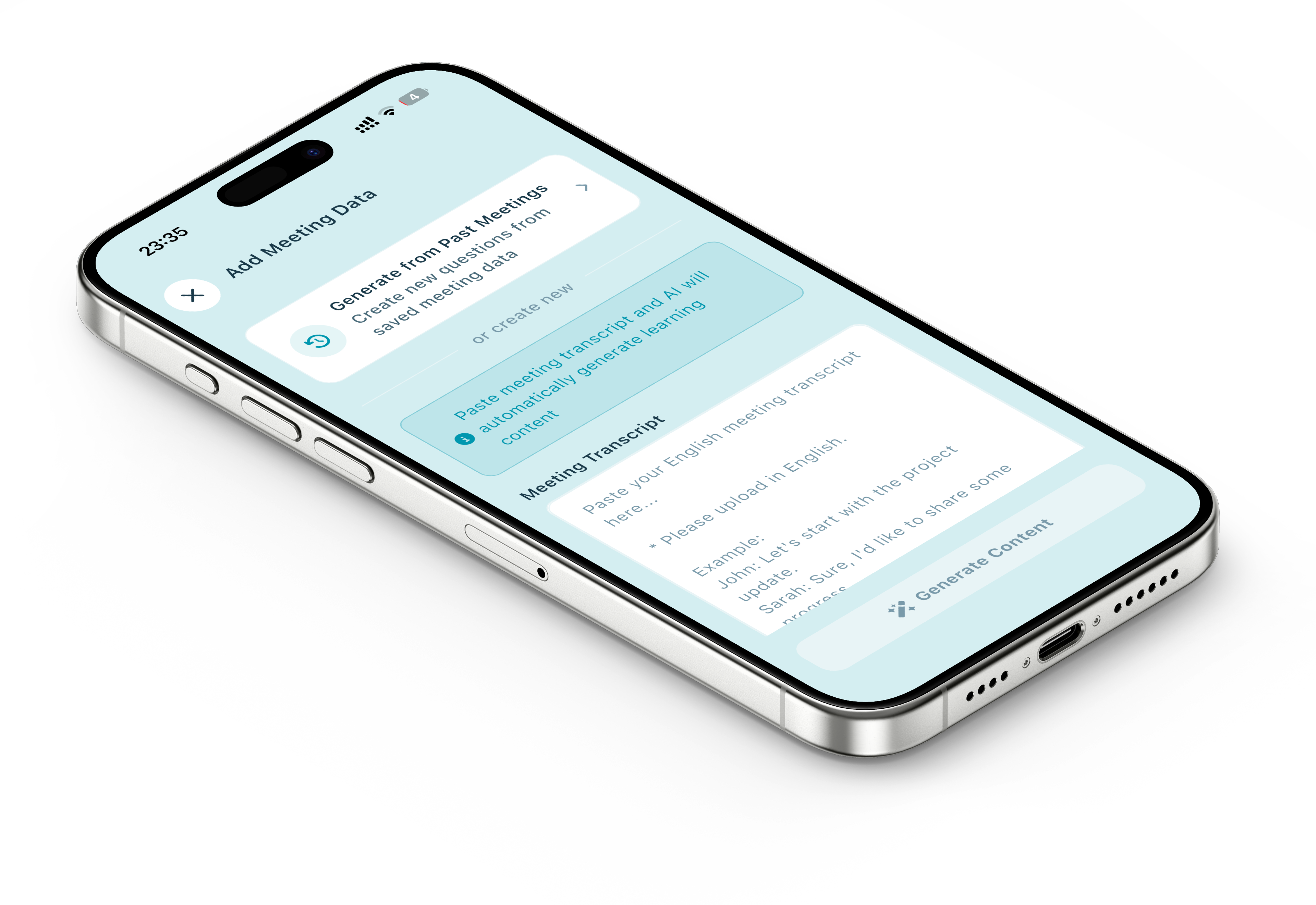
Once you add a meeting (title, type, and transcript or notes), FlashPhrase’s AI (powered by Gemini) gets to work. It extracts useful phrases and expressions from the transcript, improves them into clearer, more natural English where needed, and categorizes them—for example opening, stating opinion, confirming, disagreeing, or deferring—so you see when to use each one. It also adds context and usage tips so you know how to use them in real situations.
The result isn’t a list of unrelated sentences. It’s a set of practice items tied to a real meeting. Each phrase becomes a “problem” you can drill: read it, say it, get grammar feedback, and add it to your phrase book. That’s what we mean by “super practical”: the problems are generated from your own work context and designed for reuse in similar situations.
Why “from your notes” matters
With generic materials, you often think “I’d never say that in my meetings.” With FlashPhrase, the starting point is your meeting. The AI doesn’t invent a fictional scenario; it uses the vocabulary, topics, and flow of a conversation you were part of. So the “problems” and phrases feel immediately applicable—because they’re derived from situations you’ve already been in and will be in again.
That’s why we call this the app’s biggest feature. It closes the gap between “study” and “use.” You’re not just learning business English; you’re learning the English of your own meetings, turned into structured, repeatable practice.
The flow in a nutshell
You create or paste meeting notes (for example from Google Meet, Teams, Plaud, or manual notes). You enter a title and meeting type so the AI can tailor its analysis. The AI then extracts and refines phrases, adds categories and usage tips, and turns them into learning content. You practice with phrase cards, voice input, and grammar check—all based on that single meeting. Learned phrases and words are saved in your phrase book and vocabulary for review anytime. So the loop is: your meeting becomes your notes, then AI-generated practice, then you reuse what you learned in your next meeting.
To wrap up: FlashPhrase’s biggest feature is using AI to create highly practical English practice from the meeting notes and transcripts you create. By turning your real meetings into phrase extraction, improvement, and drill-style “problems,” the app helps you study the English you actually need—in context and ready to use.
In future posts we’ll go deeper into other features and study tips. If you haven’t yet, try adding one real meeting (or a sample transcript) and see how the AI builds your practice from it.
FlashPhrase is available on the App Store.